Software engineering, accelerated by AI.
Meet AlbertCode SWE Agent. A free-to-install AI coding agent, with open installers and documentation, built to help you go from ideas to working code.
macOS · Windows · Linux / no account / your model, or one running locally
What AlbertCode is
An agent that engineers the way you review.
AlbertCode takes a request in plain words and returns a change you can trust enough to accept: planned in the open, built away from your working tree, proven by your own tests, and applied only when you say so.
It plans before it writes
Every change starts as a plan you can read: the goal, the files it expects to touch, how it will test the change, and the risk.
It proves the change
The work happens in an isolated copy of your repository. Your own tests run there, and independent security and quality reviews read the result.
You decide what lands
Two human gates — the plan and the diff. Nothing reaches your working tree until you accept it, and Git stays your undo.
See it work
One request, from plan to proof.
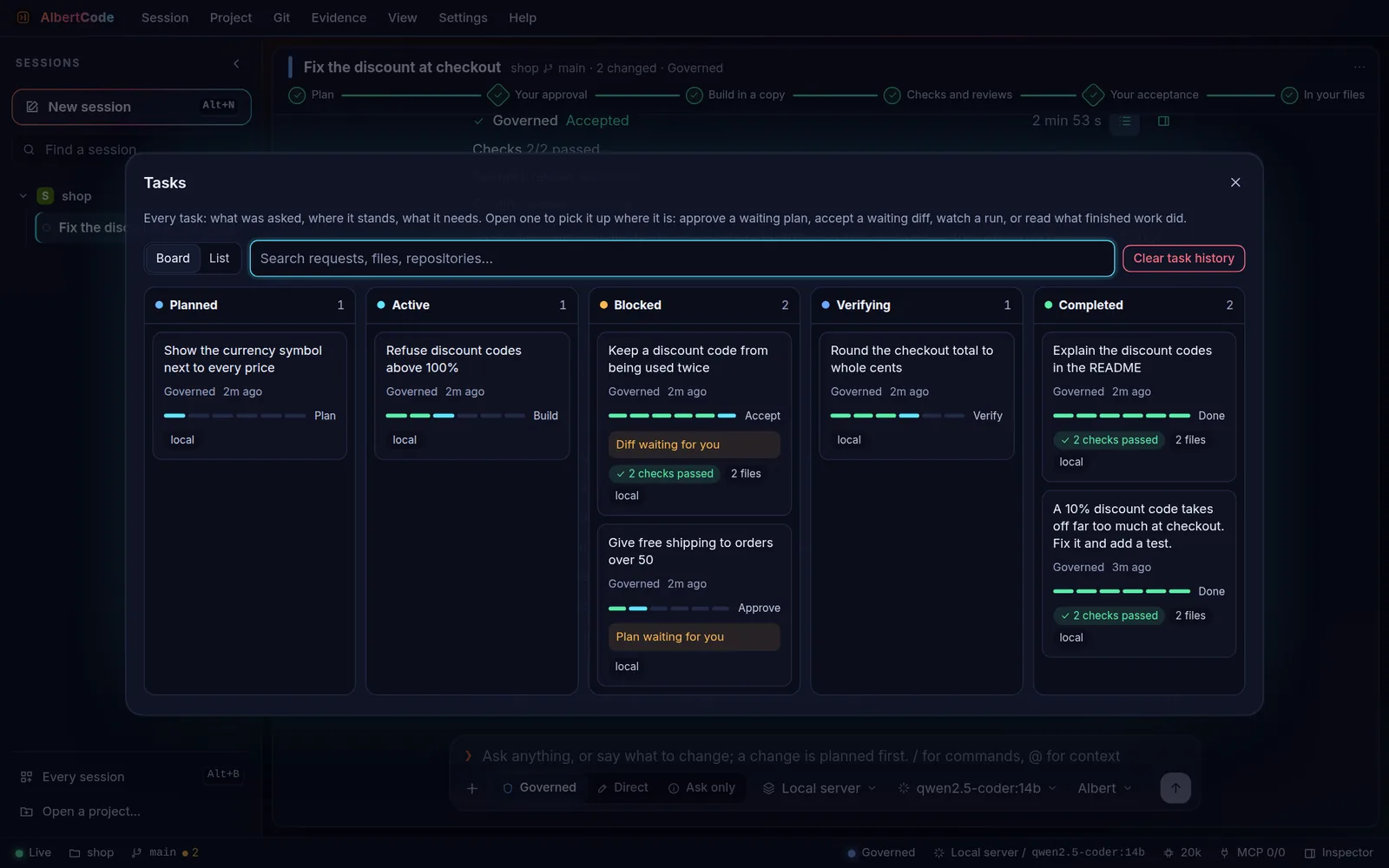
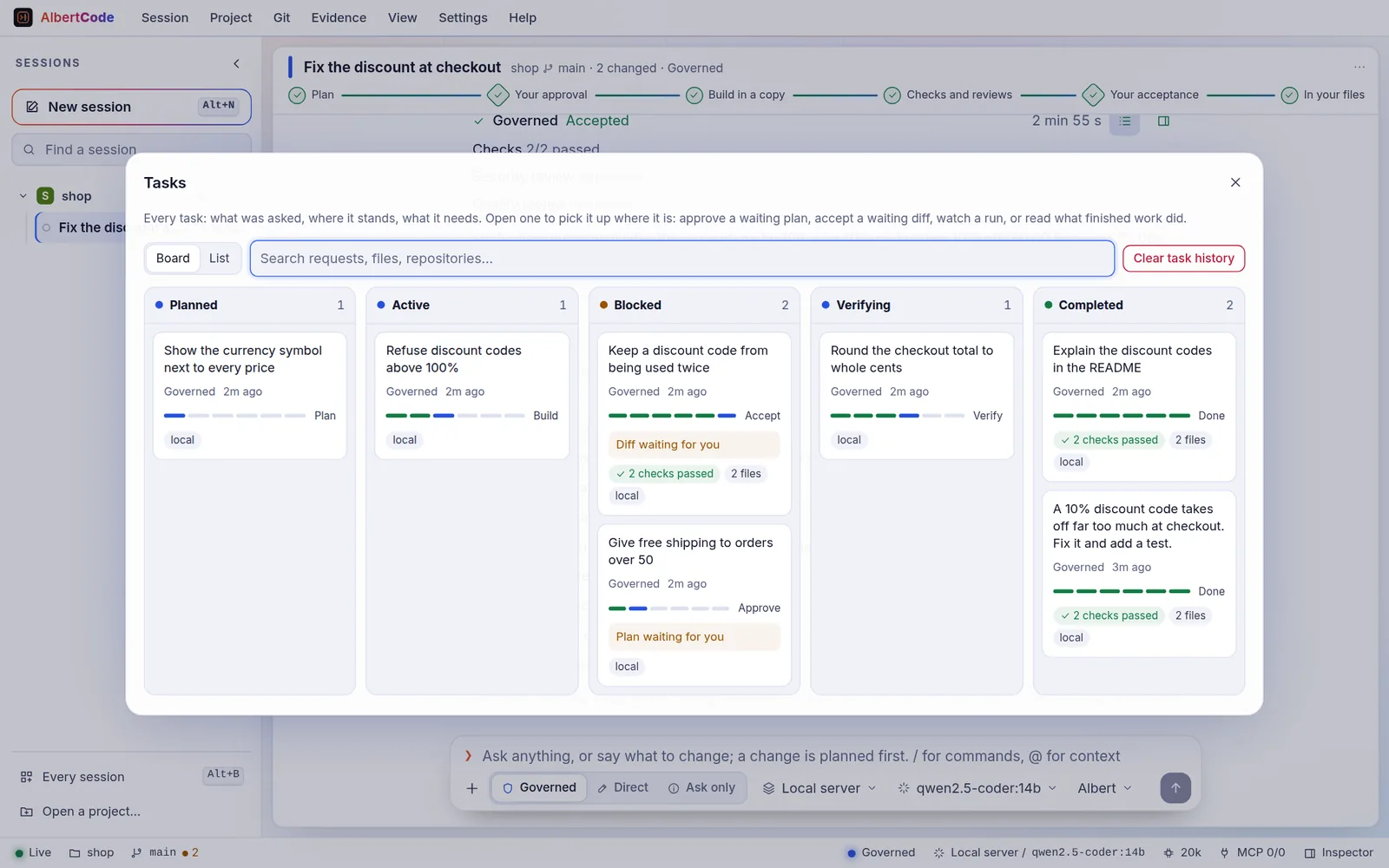
Step through a governed change exactly as the agent shows it. Every screen is a capture of the product from its README — not a mock-up.
Gate 1 — approve the plan
You describe the change in plain words. AlbertCode reads the repository and proposes a plan: the files it will change, its steps, how it will be tested, a security note, how to undo it and its risk. Nothing has been written yet.
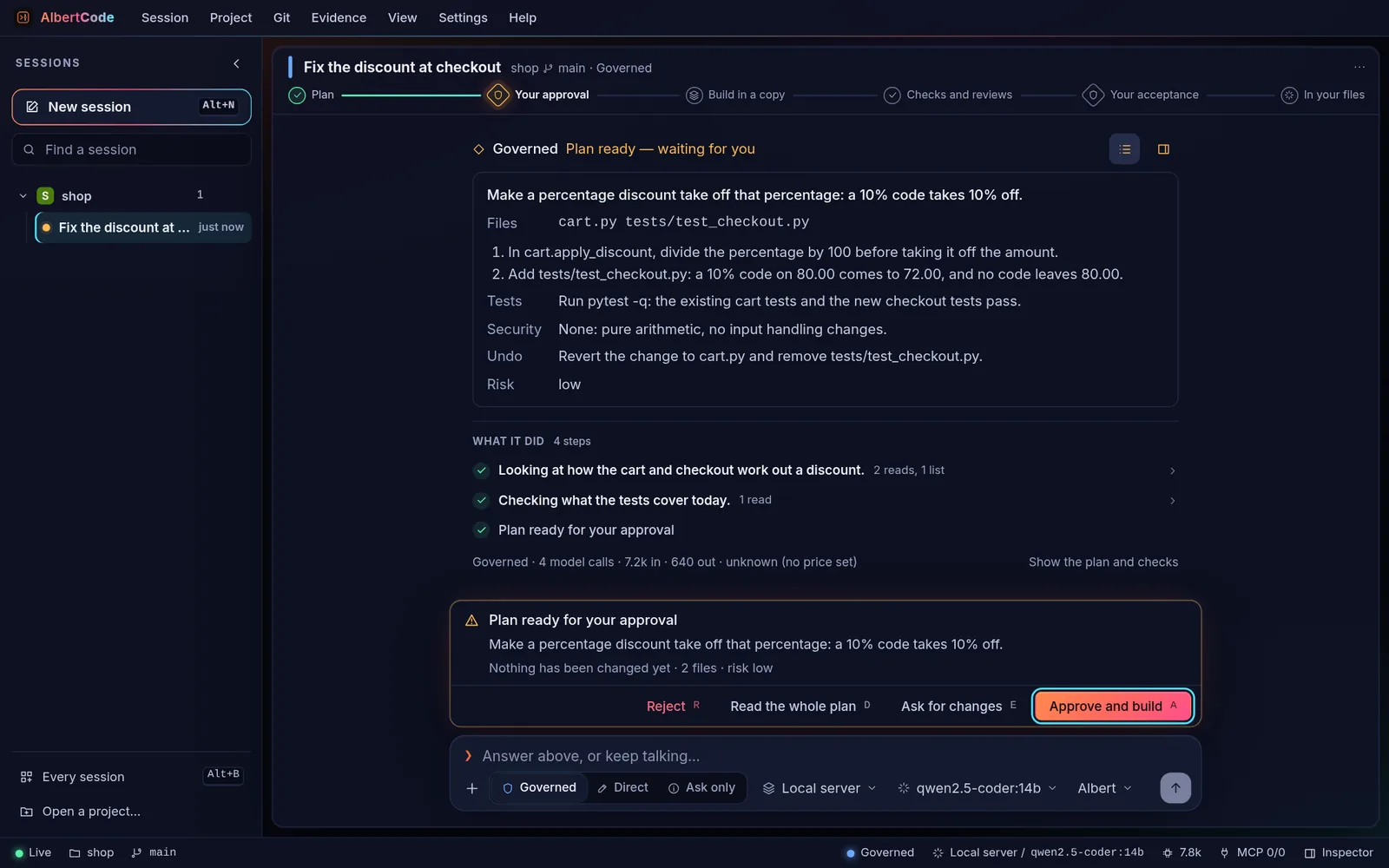
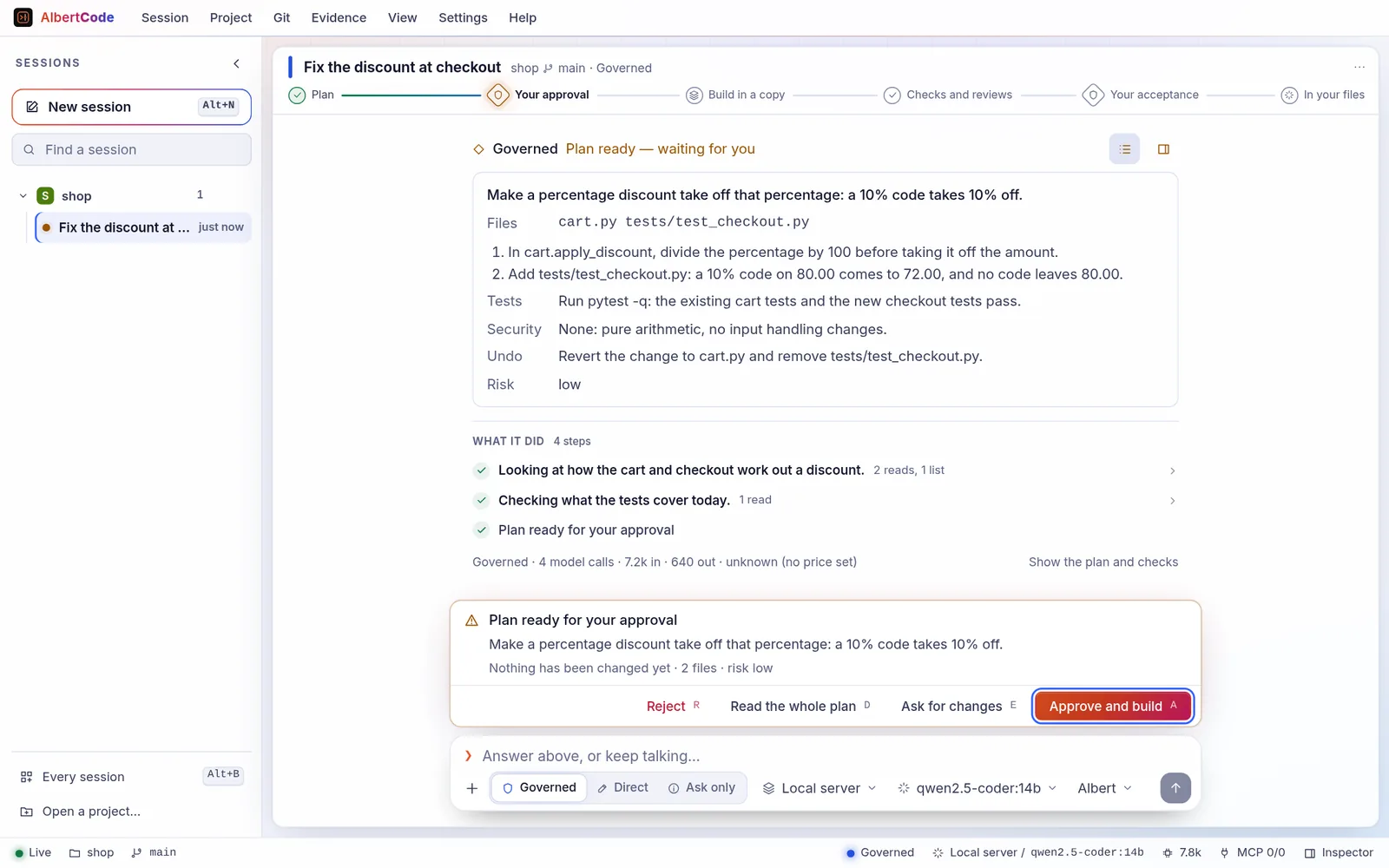
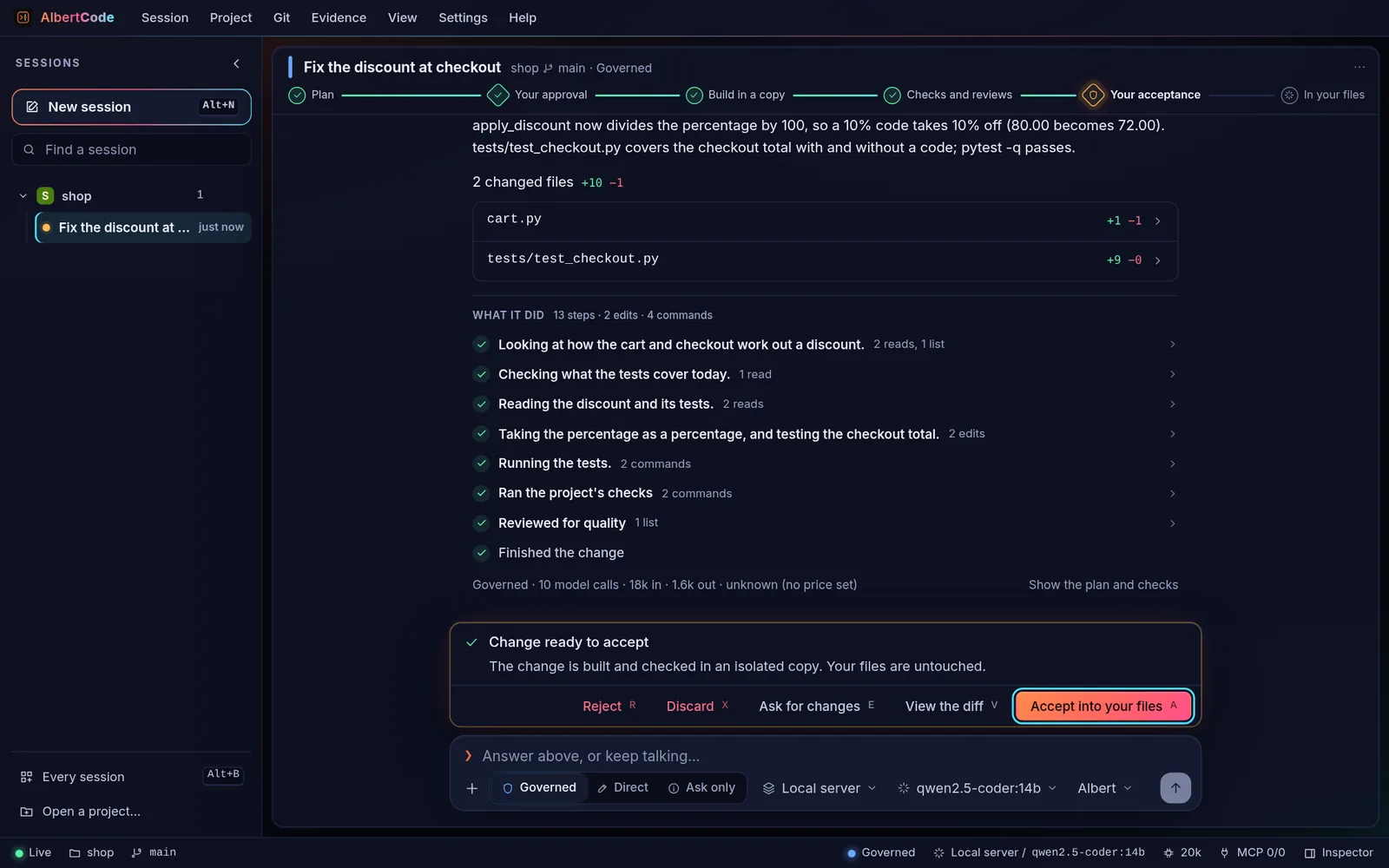
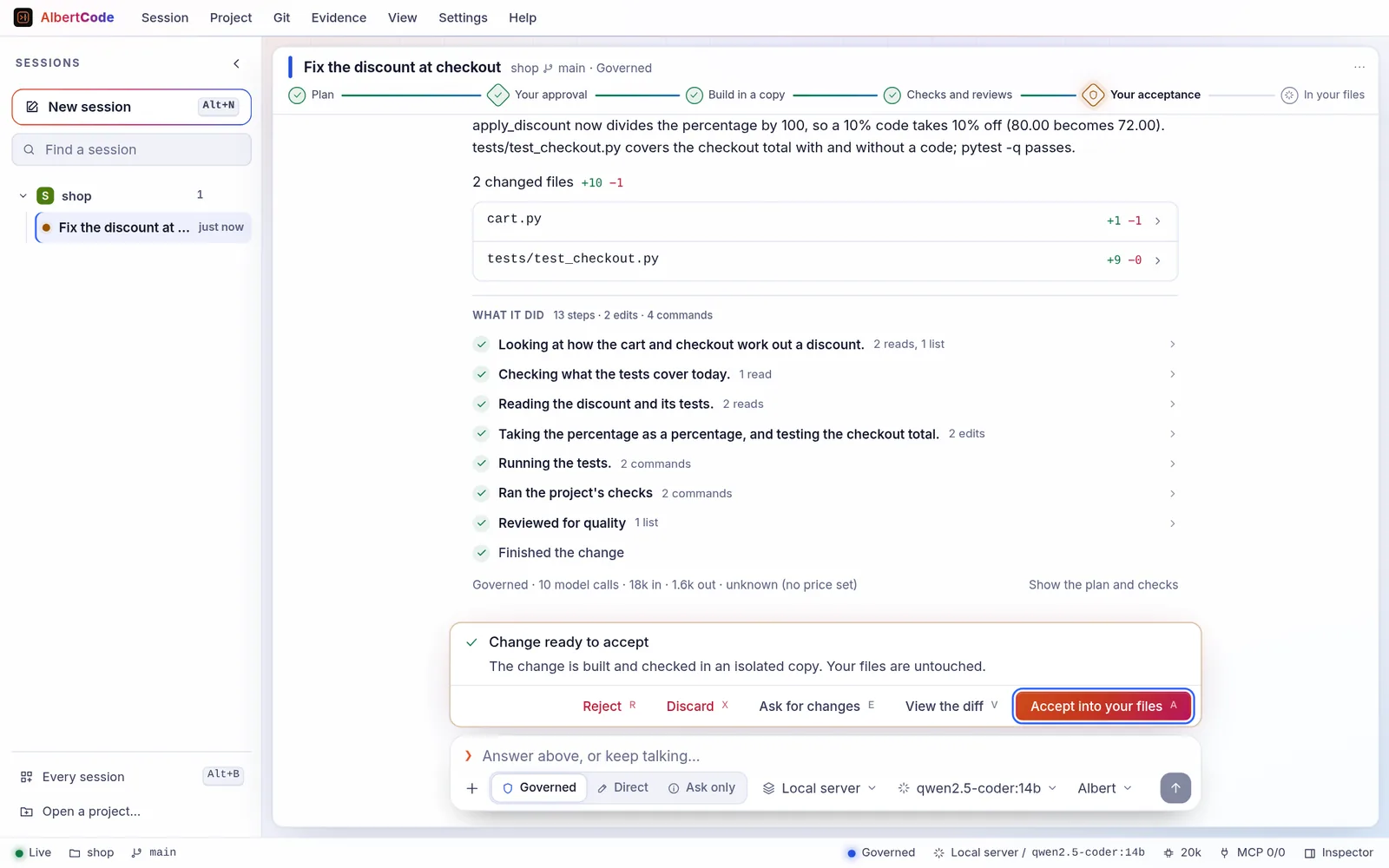
Captures of the AlbertCode SWE Agent 1.54 interface from its README. The model's answers were scripted for the pictures.
The product
One agent, in your terminal, your browser and VS Code.
Every interface talks to the same engine — the planning, the isolated copy, the checks, the reviews and the two gates — so a task started in one can be followed in another.
AlbertCode SWE Agent
The coding agent that proves its work.
A coding agent that runs on your machine. It plans a change, builds it in an isolated copy of your repository, runs your own tests, reviews the result, and shows you the diff. Nothing reaches your files until you accept it.
Approval built in
Two clear decision points — the plan and the diff — so nothing reaches your repository by surprise.
Proven, not just written
Runs your own toolchain (pytest, npm scripts, go test, cargo, Maven, Gradle, dotnet) and shows what passed and what didn't.
Three interfaces
Terminal, browser and VS Code, all driving the same local service and the same sessions.
Any model
A hosted provider, OpenRouter, Hugging Face, any compatible API, or a model on your own machine.
Also on the AlbertCode engine
mini-AlbertCode SWE Agent, a second agent with a full-screen terminal and a browser workspace, without the VS Code panel.
How it works
Two gates. Nothing crosses them without you.
This is Governed mode, the default. Circles are work the agent does; diamonds are the two points where a person decides.
- 01
Plan
The goal, the files it expects to touch, the test plan and the risk. Nothing is written.
- 02You decide
Approve
You approve the plan, ask for changes, or reject it.
- 03
Build
The change is made in an isolated copy of your repository — never in your working tree.
- 04
Verify
Your project's own tests and checks run, and the change is reviewed for security and quality.
- 05You decide
Accept
You read the diff and the results, then apply it, ask for changes, or discard it.
Everything runs on your machine.
AlbertCode runs as a small service on your own computer, with the terminal, the browser workspace and the VS Code panel on top. A task started in one can be followed in another, and closing a window never stops the work.
- Rejecting or discarding a change deletes its isolated copy: your working tree never saw it.
- Saved keys stay in your system's keychain or keyring, and are never handed to the commands a task runs.
- Accepted changes are ordinary edits in your working tree: review them with git diff, commit them, undo them with Git.
Developer workflow
Built for the whole loop, not just the edit.
Each capability below is described in AlbertCode SWE Agent's own documentation.
Governed, Direct, Ask
Choose the pace per request: two gates for changes you care about, direct edits you watch, or questions that change nothing.
Your toolchain, your tests
pytest, npm scripts, go test, cargo, Maven, Gradle, dotnet — the project's own checks decide what passed.
Your app, beside the chat
Run the project in a preview panel at desktop, tablet or phone width, with its errors surfaced and one click to ask for a fix.
MCP connectors
Add MCP servers from a gallery of connectors, or your own by hand — local or remote, with sign-in.
Scripts and CI
albertcode run sends one request without the interface and answers only the gates you name with --approve.
Any model, even local
Hosted providers, OpenRouter, Hugging Face, any compatible API — or Ollama, LM Studio and friends, so nothing leaves your machine.
VS Code panel
The same agent and gates inside your editor, from the .vsix extension attached to each release.
Contract and evidence ledger
albertcode.contract.toml bounds what may change; every action lands in a hash-chained ledger you can export.
Requirements, architecture, browser tests
A spec as a checklist backed by browser tests, what your app is made of read from its own files, and Playwright tests in your e2e/ folder.
Open by default
Open about everything — including what isn't open.
AlbertCode SWE Agent is a proprietary, free-to-install application. Everything you need to adopt, inspect and improve it lives in a public repository you can read, fork and contribute to.
Installers you can read
The one-line installers are plain shell and PowerShell, Apache-2.0, and verify each download's SHA-256 before running it.
Documentation under CC BY 4.0
Every guide, from installation to the contract format, is public and open to corrections.
Benchmarks with their evidence
A published methodology, per-task outcomes, and results labelled self-reported until someone independent checks them.
Private by design
No telemetry, no account. Your code goes only to the model you choose — or nowhere, with a local model.
Getting started
One command. Then describe the change.
The installer shows what it will do and asks before it changes anything. It installs for your user only — Python included — so there's no pip, virtual environment or PATH editing.
- 1
Install
Paste the command for your system and answer Y.
- 2
Connect a model
Paste an API key, or point it at a model on your machine.
- 3
Ask for a change
cd into a project, start the agent, and say what should change.
Install AlbertCode SWE Agent
for your user · asks before changing anythingcurl -fsSL https://raw.githubusercontent.com/- Open Terminal (⌘ Space, then type Terminal), paste the command, read the plan, then type Y.
- Open a new Terminal window when it finishes, then run albertcode --version.
FAQ
Straight answers.
More in the documentation, and in each repository's own FAQ.
What is AlbertCode?
Is it open source?
Does it cost anything?
Does my code leave my machine?
Which models can I use?
albertcode models test checks one.Can it change my files without asking?
Can I run it in the browser, here?
albertcode web. The run planner here prepares the exact commands for your system and reads the output you bring back — entirely in your browser.What is mini-AlbertCode?
Which systems are supported?
Build faster. Ship smarter. Engineer with AI.
From idea to working software.
Install in a minute or two, connect the model you already use, and let the first change come back with its proof.